We have an interest area, a name and some branding, now we need to find where we are going to connect with our audience!
There are so many platforms to use to connect with people. I think most importantly to have as much control as possible having your own website to publish content to and drive traffic is most important. Obviously it’s working since you’re here reading my blog.
Creating a website needs a few things.
- a domain
- a hosting platform
- website build
I used godaddy to purchase my domain – pinkfrostedlife.com
I’ve created a few websites in the past and GoDaddy has been my go to for domains, so why change what’s working.
The next item on the list is hosting. Again experience comes in to play here. I have a hosting account with A Small Orange. It allows multiple sites and I can adjust the levels as needed. I haven’t had any issues with the hosting and adding domain specific emails is easy and included. It just a nice touch to not have to use Gmail or Hotmail accounts with your website.
Other hostings:
- Bluehost
- GoDaddy
- HostGator
Review the options and find the right fit for you. Price is most likely the main factor but look a things like downtime, customer service, amount of storage/pages, etc.
The last item on the list is the website itself. The list here is pretty endless. I took a look at the top options:
- Shopify
- Wix
- WordPress
- Squarespace
I ultimately decided WordPress would work the best. At this point I don’t have specific products to sell and the majority of my content will be blogs. I also like the amount of customization I can do. For example, if I decide to add a shopping feature for my products, it’s easy to add to WordPress.
Now I know what you’re thinking, “I know nothing about coding or websites how can I even get started”. Don’t worry there are so many tutorials and it’s actually not as hard as you think. Plus I have some tips!!
If you are starting your first site a lot of the hosting platforms or website builders include a domain for the first year. It makes it easier to have everything all in one so I would recommend an all in one solution for just 1 site.
Bluehost has one that makes it really easy if you’re looking to do a WordPress blog.
Again, just reviewing a few options will give you a better idea on what’s important to you.
So once you purchase your domain name if you haven’t already you’ll need to connect the domain to your hosting platform. There is almost always a turtorial on one or both of those that will walk you through it, if you still have trouble – reach out to support, this is why they are there and if you’re paying for it you might as well use it.
Once that is complete you can go ahead and start designing your site!!
The most valuable piece of advice I can give is get a theme, don’t try to create something from scratch, the hastle is honestly not worth it unless you really what to learn that side of the business. There are free ones and paid ones, which can range from $10 to $1000. I chose one for around $30. I’m super happy with it. I got it from Etsy and it was really easy to install. Take a quick Google search and you’ll see the different places you can purchase one. Find one you like, spend what you’re comfortable with and there you go! A Website!
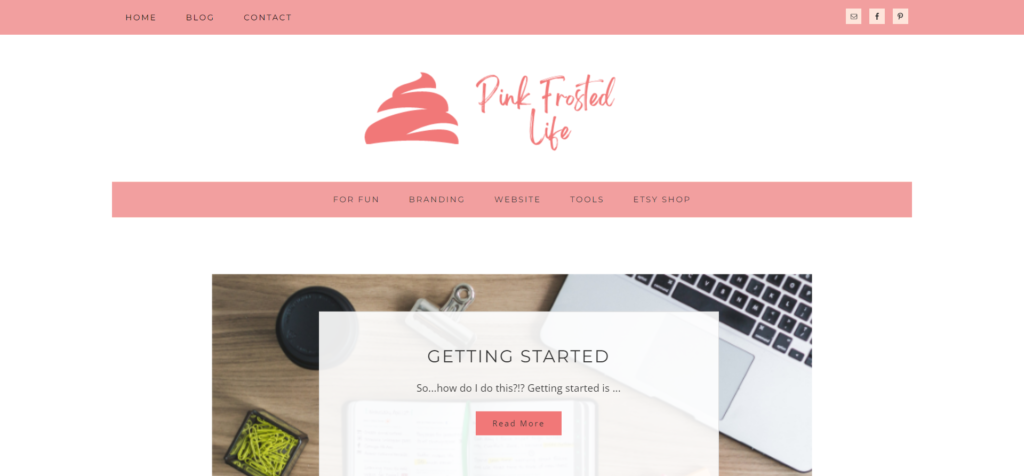
Now that you have a homebase you need to decide what connections you’re going to create for your brand to drive traffic.
I’ve also created an Etsy page – this is where I’m going to list products for one of my income projects (more to come on this soon!!), I’m also going to create some social media accounts to use to connect with different audiences.
First I’m going to start with Pinterest.
Although this is considered a social media site, I really think of it as more of a search engine with pictures. Most users on Pinterest are looking for something speicific or ideas for so many different things and I’ve learned a lot just by scrolling through Pinterest. So for me Pinterest for this particular project is a must. I’d also recommend using Pinterest Business from the start – it’s gives you some more analytics information as well as a few other features than a regular account.
I’m also going to create a Facebook & Instagram account. I’m not sure how active I’ll be but I want to cover off my basic accounts just so I’m prepared.
The next connection I want to make sure is ready is an email subscription platform. Again, I’m not sure what and when I’ll use this but I want to make sure it’s set up from the beginning and visitors to my site have the opportunity to subscribe at the very least I can send out an email with new posts but in my experience email is still a very powerful tool for businesses to use.
I’m using Mailchimp, just the free account for now because I’m already comfortable with it, but Constant Contact, Klaviyo, Omnisend and more are options to look into.
The theme I chose already had a plugin installed to use for email subscribers so that was an easy add on for me.
So not that I’m all connected I need to start sharing my journey!
Until next time,
Whitney.

Leave a Reply